
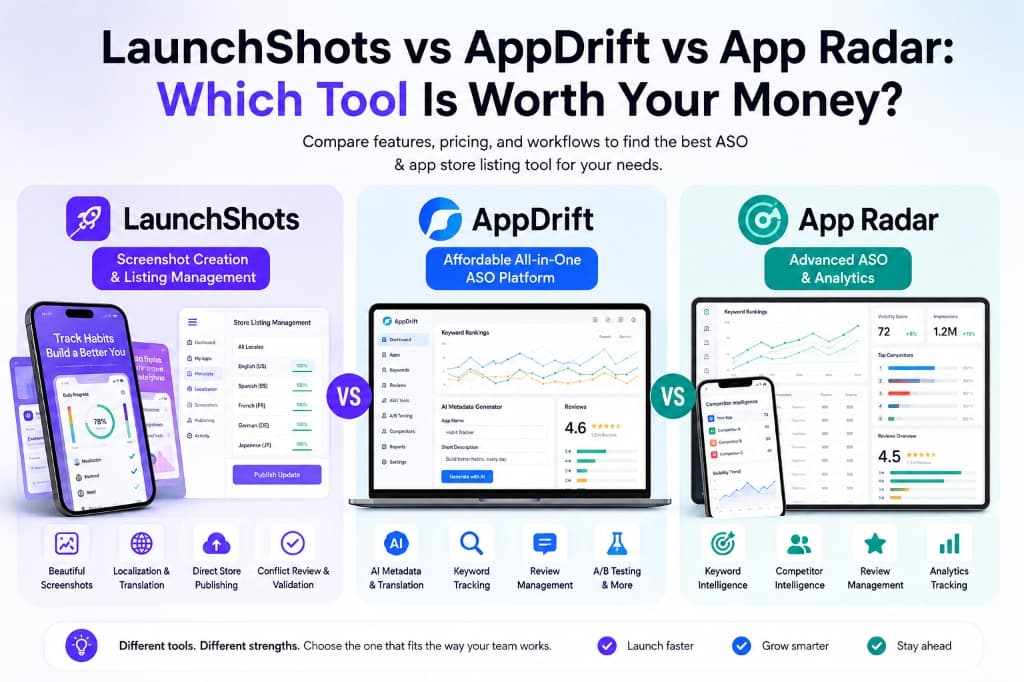
LaunchShots vs AppDrift vs App Radar: Which Tool Is Worth Your Money?
Compare LaunchShots, AppDrift, and App Radar on features, pricing, store listing management, ASO tools, and workflow to find the right tool for your app.
You finally finished building your app.
After weeks (or maybe months) of coding, testing, fixing bugs, and polishing every little detail, it's finally live on the App Store or Google Play.
Getting your app live is one thing. Getting people to download it is another.
Your screenshots, app title, description, keywords, and localization often determine whether someone installs your app or scrolls past it. That's why App Store Optimization (ASO) has become just as important as building a great app.
Today, there are plenty of tools that promise to improve your app's visibility. Some focus on keyword rankings, some specialize in screenshot creation, while others try to manage your entire store listing from one dashboard.
Three tools worth comparing are LaunchShots, AppDrift, and App Radar.
They solve different parts of the ASO and app-listing workflow, so the right choice depends on what you actually need.
Before we get into the comparison, one quick note.
We researched each platform using its website, pricing pages, and publicly available product information. The comparison below is based on what we could verify during our research.
If a feature wasn't clearly mentioned, we marked it as Not specified rather than assuming it's available.
Quick Comparison
| Feature | LaunchShots | AppDrift | App Radar |
|---|---|---|---|
| Screenshot Generator | ✅ | ✅ | Not specified |
| Store Listing Management | ✅ | Not specified | ✅ |
| Direct Store Publishing | ✅ App Store & Google Play | ✅ | Not specified |
| AI Translation | ✅ | ✅ 40+ languages | Not specified |
| AI Metadata Generation | Limited | ✅ | Not specified |
| Keyword Tracking | Basic | ✅ | ✅ |
| Competitor Tracking | ❌ | ✅ Studio plan | ✅ |
| Review Management | ❌ | ✅ | ✅ |
| Localization | ✅ | ✅ 40+ languages | Not specified |
| Analytics | Basic | ✅ Advanced analytics on Pro | ✅ |
| Best For | Screenshot creation & listing management | Affordable all-in-one ASO | Advanced ASO & analytics |
LaunchShots
LaunchShots focuses on one of the most time-consuming parts of launching an app: creating, managing, and publishing store listings.
Instead of juggling a design tool, translation software, spreadsheets, App Store Connect, and Google Play Console, LaunchShots brings most of that workflow into one place.
Its biggest strength isn't just creating beautiful screenshots—it's reducing the time it takes to launch or update an app.
Some standout features include:
- Professional screenshot editor
- Store Listing Management
- Direct publishing to App Store Connect & Google Play
- AI-powered listing translation
- Listing conflict review before publishing
- Character limit validation
- 220+ device frames
- 150+ 3D iPhone 17 mockups
- 100+ screenshot templates
- Frame Extension
- Built-in Magnifier
- Support for every App Store and Google Play screenshot size
- No export watermark
One feature that stands out is the Store Listing Management system.
You can pull your live listing, edit metadata across multiple locales, translate it, review conflicts before publishing, and push updates back to the stores—all from within LaunchShots.
For developers releasing updates frequently, that's a real time saver.
Pricing
LaunchShots keeps pricing refreshingly flexible.
Free
- All features unlocked
- 1 free screenshot set every month
- No export watermark
- No credit card required
Launch Kit — one payment, one launch
- $39 for 14 days of unlimited downloads and publishes
- Localization into 15 languages included
- Nothing renews
Subscription
- Monthly: $19
- Yearly: $149 (about $12.42/month)
- The only tier that unlocks all 84 store languages
Credit packs — top-ups that never expire
- 5 credits: $12
- 15 credits: $29
Pros
- ✅ Excellent screenshot editor
- ✅ Flexible pricing
- ✅ Direct store publishing
- ✅ Great localization workflow
- ✅ Beginner-friendly
Cons
- ❌ Doesn't focus on advanced ASO analytics or competitor intelligence like dedicated ASO platforms.
AppDrift
AppDrift takes a different approach.
Instead of focusing mainly on design, it positions itself as an affordable all-in-one ASO platform for indie developers.
Its pricing is one of its biggest advantages, especially for indie developers who want multiple ASO features without committing to a high monthly subscription.
Some of its key features include:
- AI metadata generation
- AI translation in 40+ languages
- Store publishing
- Screenshot generator
- Keyword tracking
- Review management
- A/B testing
- Launch Checklist
- API access
- Competitor rank tracking on the Studio plan
AppDrift uses a token system for its AI-powered features, with each action having a defined token cost. AI translations, metadata-related tasks, keyword rank checks, review responses, and A/B test setup consume tokens, while screenshot creation remains free and unlimited.
Pricing
Free
- 1 app
- 50 AI tokens
- Screenshot Generator
- AI translations
- No credit card required
Basic
- $8.25/month (billed annually)
- Up to 5 apps
- 500 AI tokens/month
- Store publishing
- Review management
- A/B testing
Pro
- $16.58/month (annual billing)
- Up to 20 apps
- Advanced analytics
- 3,000 AI tokens/month
Studio
- $33.25/month (annual billing)
- Up to 50 apps
- Competitor tracking
- 8,000 AI tokens
Pros
- ✅ Excellent value for money
- ✅ AI-powered workflows
- ✅ Strong feature set for indie developers
- ✅ Built-in review management
Cons
- ❌ Less focused on advanced creative customization than dedicated screenshot tools.
App Radar
App Radar takes a more data-driven approach to ASO.
Its strength isn't screenshot creation—it's helping teams understand how their apps are performing and how to improve visibility using data.
If your work revolves around keyword rankings, competitor research, reviews, and performance analytics, App Radar is built much more around those needs.
Key features include:
- Keyword Intelligence
- Competitor Intelligence
- ASO Automation
- Store Listing Management
- Ratings & Review Management
- Analytics Tracking
Compared to the other two platforms, App Radar leans much more toward marketing and analytics than creative asset production.
Pricing
Essentials
- €58/month (€690 billed annually)
- 2 apps
- 500 keywords
- 25 competitors
Growth
- €141/month (€1,690 billed annually)
- 10 apps
- 1,500 keywords
- AI review summaries
Scale
- €250/month (€2,990 billed annually)
- 15 apps
- 3,000 keywords
- 250 competitors
Enterprise
- Custom pricing
Pros
- ✅ Powerful keyword intelligence
- ✅ Advanced competitor tracking
- ✅ Comprehensive analytics
- ✅ Enterprise-ready workflows
Cons
- ❌ Significantly more expensive than the other two platforms.
- ❌ Screenshot creation isn't a primary focus.
Pricing Comparison
| Platform | Free Plan | Starting Price |
|---|---|---|
| LaunchShots | ✅ Forever | $4.99 / 5 credits |
| AppDrift | ✅ Forever | $8.25/month |
| App Radar | 7-day trial | €58/month |
LaunchShots stands out with its flexible pricing, making it a practical option for developers who don't want to commit to another monthly subscription. AppDrift offers a relatively affordable subscription for developers who want AI-powered ASO features, while App Radar targets businesses willing to invest in advanced analytics and competitor intelligence.
Which One Should You Choose?
Choose LaunchShots if you mainly need professional screenshots, store listing management, localization, and direct publishing without stitching together several different tools.
Choose AppDrift if you want a broader ASO toolkit with AI features, keyword tracking, reviews, and A/B testing at a relatively low subscription price.
Choose App Radar if your priority is keyword intelligence, competitor research, reviews, and deeper ASO analytics.
Final Verdict
All three platforms solve different problems.
If your biggest challenge is creating screenshots and managing store listings efficiently, LaunchShots offers the most streamlined workflow and flexible pricing.
If you're looking for a feature-rich ASO platform at a relatively affordable subscription price, AppDrift delivers strong value, especially for indie developers and small studios.
And if your focus is advanced ASO analytics, competitor intelligence, and enterprise-scale optimization, App Radar is a strong fit for teams that rely heavily on data-driven ASO.
At the end of the day, the best tool isn't necessarily the one with the longest feature list—it's the one that fits the way your team works.
For developers who want to spend less time switching between tools and more time shipping updates, LaunchShots is a compelling place to start.
Design store-ready screenshots in minutes — free, no export watermarks.
Launch Shots is free forever. Every template(110+), 220+ device frames plus 3D mockups, AI localization to 84 store languages, and direct upload to App Store Connect and Google Play Console. No credit card needed.
Start creating free →